
Best Garden Design Apps in 2026
By AI Landscape Design team · Prices and features checked October 7, 2026
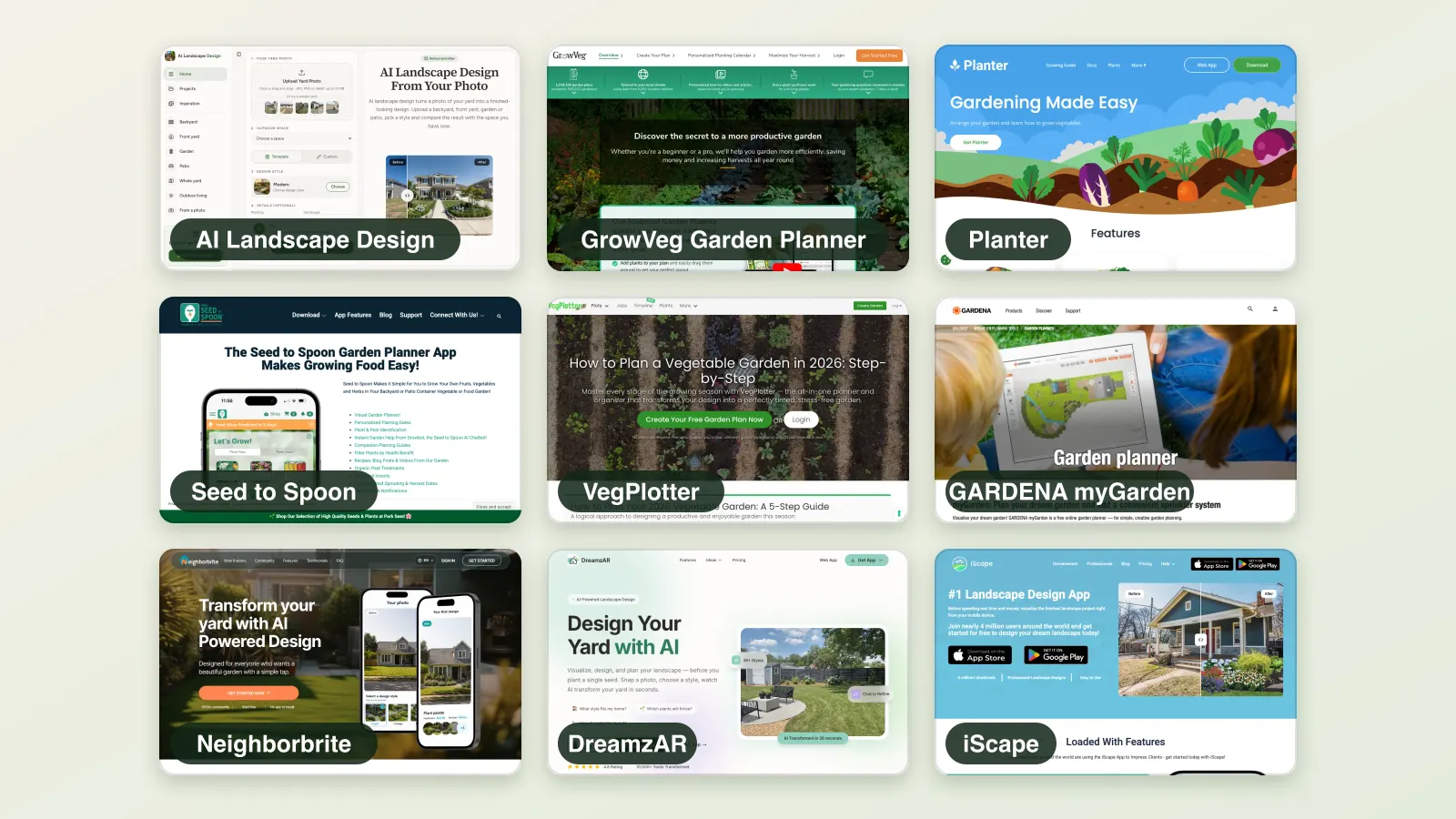
The best garden design app for you depends on whether you grow food or design a garden to look at. Vegetable planners map beds, timing and rotation; ornamental and AI tools show how the garden will look. We compared nine garden apps on plant libraries, layout planning, concept images, calendars and platforms.
Short answer: To picture a new garden on your own photo, start with AI Landscape Design: Cottage, Meadow, Kitchen garden and other garden styles, with a plant list in the phone app. For vegetable beds: GrowVeg (largest library, frost-date calendar), Planter (cheap, phone-first) or Seed to Spoon (best rated). For a free layout: GARDENA myGarden.
| Product | Type | Platforms | Free? | Paid price | Best for |
|---|---|---|---|---|---|
| AI Landscape DesignBest for picturing a new garden on your own photo | AI photo redesign | Web, iPhone and Android apps | Limited free tier | Packs $19.99 (40 credits), $34.99 (100), $59.99 (250), never expire; Pro $49.99/month or $299/year (300 credits a month) | Seeing your own yard in a new style in seconds |
| GrowVeg Garden Planner | Vegetable garden planner | Web (desktop), iPad | Free trial | $35/year auto-renewing; $50 for 1 year; $85 for 2 years | Serious vegetable growers planning beds and rotation |
| Planter | Square-foot garden planner | iOS, Mac, Android, web (Premium) | Limited free tier | Premium $24.99/year (App Store also lists $4.99/month); Lifetime $99.99 | Beginner raised-bed growers on a phone |
| Seed to Spoon | Vegetable planner + AI helper | iOS, Mac, Android, web | Limited free tier | Premium $4.99/month, $24.99 per 6 months or $46.99/year | Food growers who want timing and troubleshooting |
| VegPlotter | Vegetable garden planner | Web, Android | Limited free tier | Essentials and Advanced plans; prices were not shown on the pricing page when we checked | A simple free planner for allotments |
| GARDENA myGarden | 2D planner + sprinklers | Web | Permanently free | Free | Sketching a layout and planning sprinklers |
| Neighborbrite | AI photo redesign | Web, iOS, Android | Limited free tier | Business $49/month, Landscaper $149/month (website); App Store lists PRO $24.99, Business $49.99, Landscaper Suite $149 without a billing period | A free AI start plus climate-based plant lists |
| DreamzAR | AI redesign + AR | Web, iOS, Android | Paid only | $19.99/month or $199/year (about $16.60/month) | Placing real plants in AR after an AI concept |
| iScape | Photo overlay + AR | iOS, Android (AR on iOS only) | Limited free tier | Pro $29.99/month or $299.99/year | Placing real products on a photo; client proposals |
How we compared
- We read each product’s homepage, pricing page, FAQ and App Store listing on the check date, and took the homepage screenshots shown.
- Prices, free limits and features are quoted as published. Where a site does not publish a figure, we say so instead of guessing.
- App Store ratings are the US App Store figures shown on that date; we do not use self-reported ratings from a company’s own site.
- We did not create accounts on competitor products, so we do not show or score their output. Our own product was tested on our own photos.
- We compared plant library size, layout planning, concept images, planting calendars, climate awareness and platforms, as published.
1. AI Landscape Design
Best for picturing a new garden on your own photo
AI photo redesign · Web, iPhone and Android apps · Limited free tier: 5 free credits on sign-up (five Basic designs or one Pro), with a logo
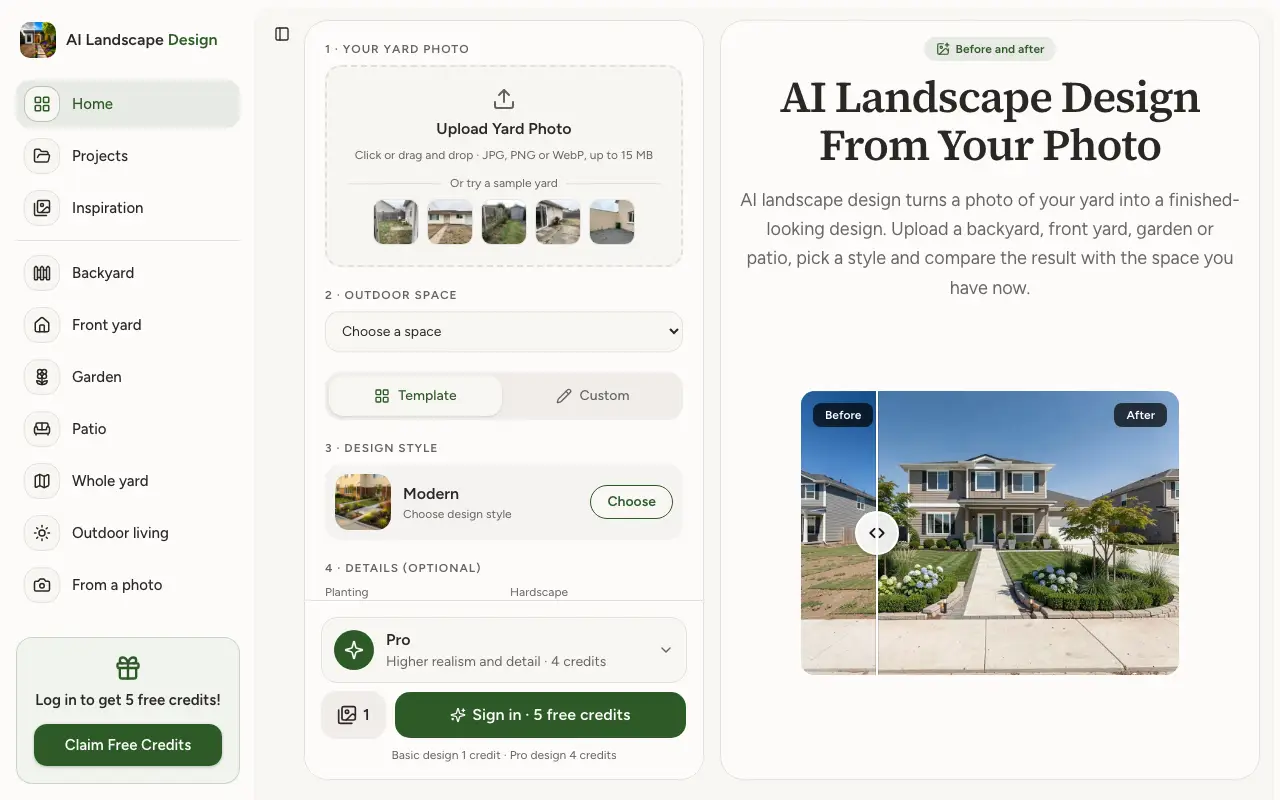
Upload a photo of a backyard, front yard, garden or patio, pick one of 18 styles or describe your own, and get a photorealistic design of the same space, compared with a before/after slider. Basic designs cost 1 credit; Pro designs cost 4 and look more realistic. Pro plans add up to 4 designs per click and commercial use.
Price: Packs $19.99 (40 credits), $34.99 (100), $59.99 (250), never expire; Pro $49.99/month or $299/year (300 credits a month)
Design your garden freePros
- Works on your own photo; the house and boundaries stay in place
- 18 styles plus a free-text description
- Credit packs never expire; no subscription needed
- Projects keeps every design; JPG download
Cons
- Concept images only: no measurements, plans or 3D; plant lists only in the phone app
- Phone apps are bought separately from web credits
- No masking or editing of one area of the image
- An account is needed before the first design
Sources: our pricing page
2. GrowVeg Garden Planner
Vegetable garden planner · Web (desktop), iPad · Free trial: 7 days, no payment details
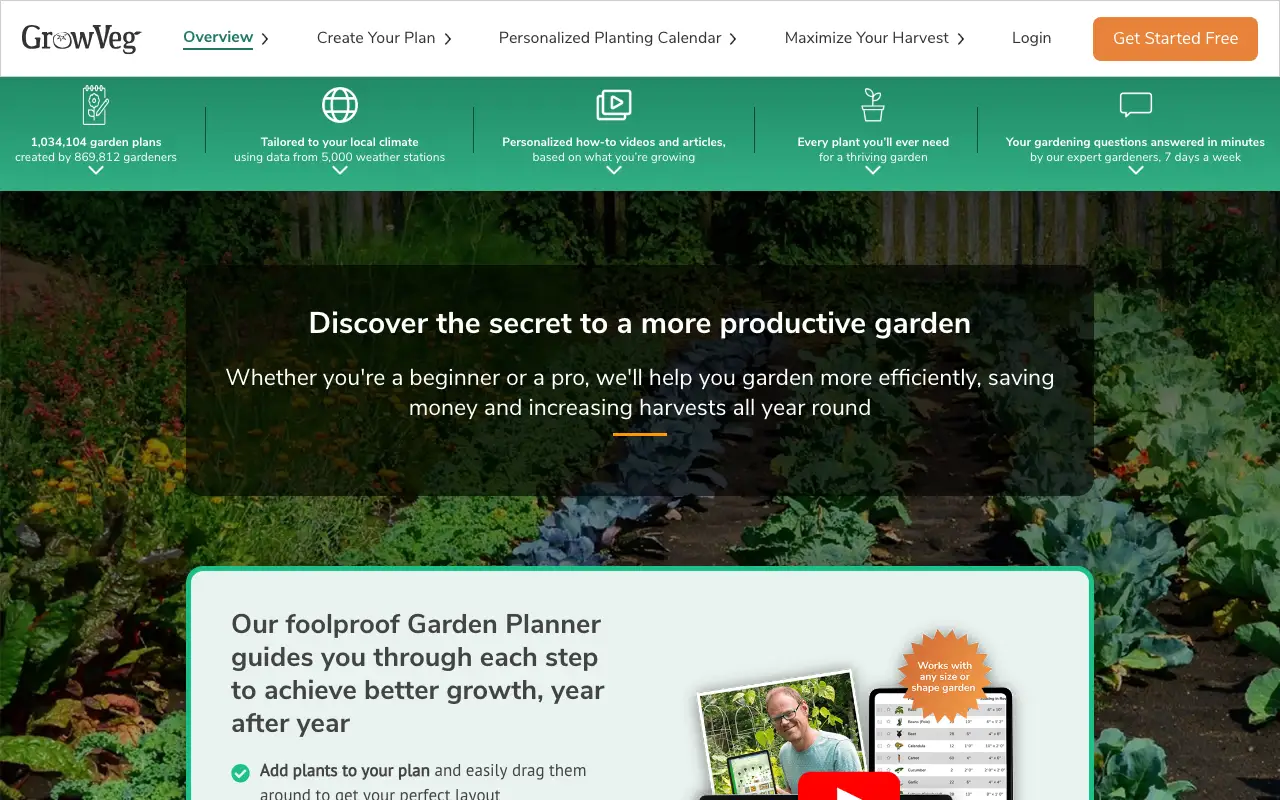
GrowVeg is a drag-and-drop vegetable garden planner with 21,657 varieties, automatic spacing, crop rotation, companion planting and a calendar with email reminders based on local frost dates. Its help pages say phones are not yet supported for the planner.
Price: $35/year auto-renewing; $50 for 1 year; $85 for 2 years
Pros
- Largest plant library in this group
- Calendar and reminders from local frost dates
- Crop rotation, companion planting, shopping list with counts
Cons
- No permanent free tier
- Planner not supported on phones
- No picture of how the garden will look
3. Planter
Square-foot garden planner · iOS, Mac, Android, web (Premium) · Limited free tier: 1 garden, with ads
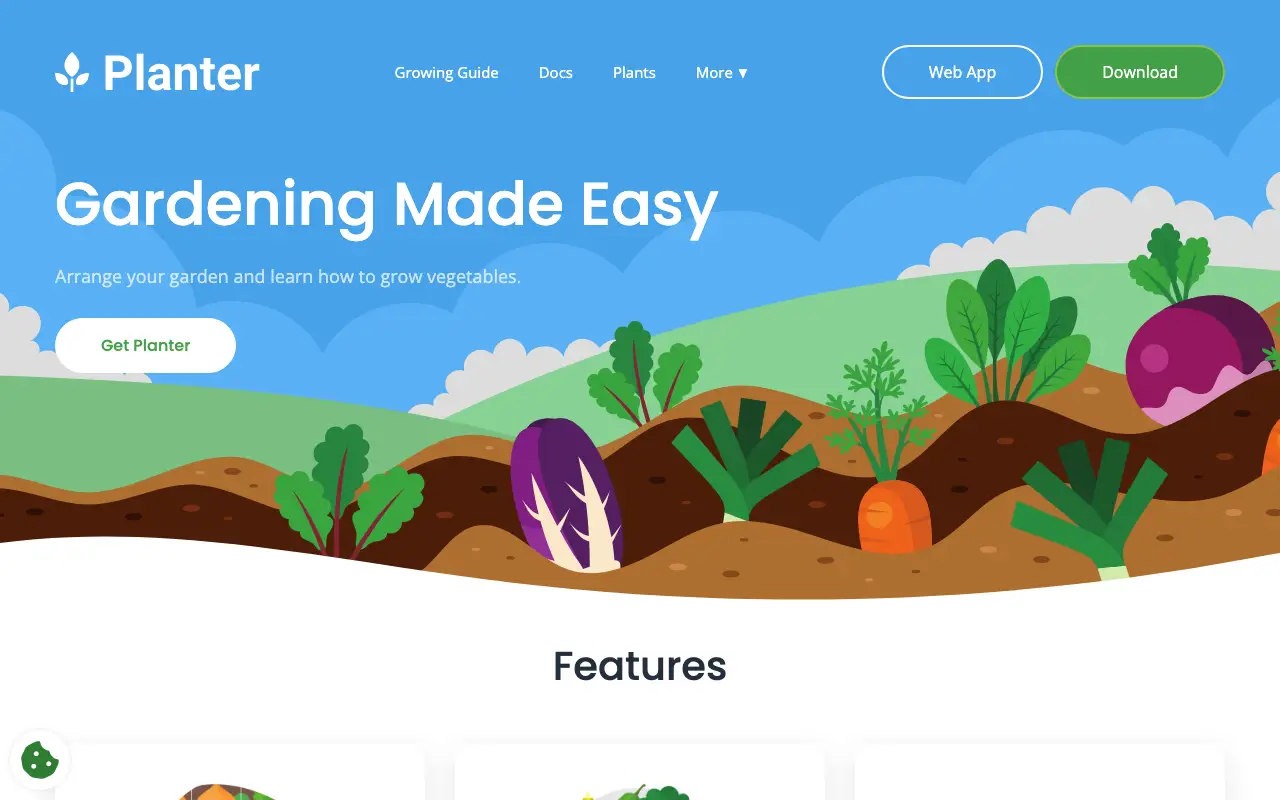
Planter is a phone-first square-foot gardening planner with drag-and-drop beds, a library of 80+ plants and 1,000+ varieties, custom plants and a calendar for starting seeds, transplanting and harvesting.
Price: Premium $24.99/year (App Store also lists $4.99/month); Lifetime $99.99
Pros
- Usable free tier and cheap yearly plan
- Lifetime purchase option
- 4.7 stars from about 2.3K ratings on the US App Store
Cons
- Free tier limited to one garden
- Smaller library than GrowVeg
- Vegetables only
4. Seed to Spoon
Vegetable planner + AI helper · iOS, Mac, Android, web · Limited free tier: 10 plant kinds in the tracker, 3 AI questions a day
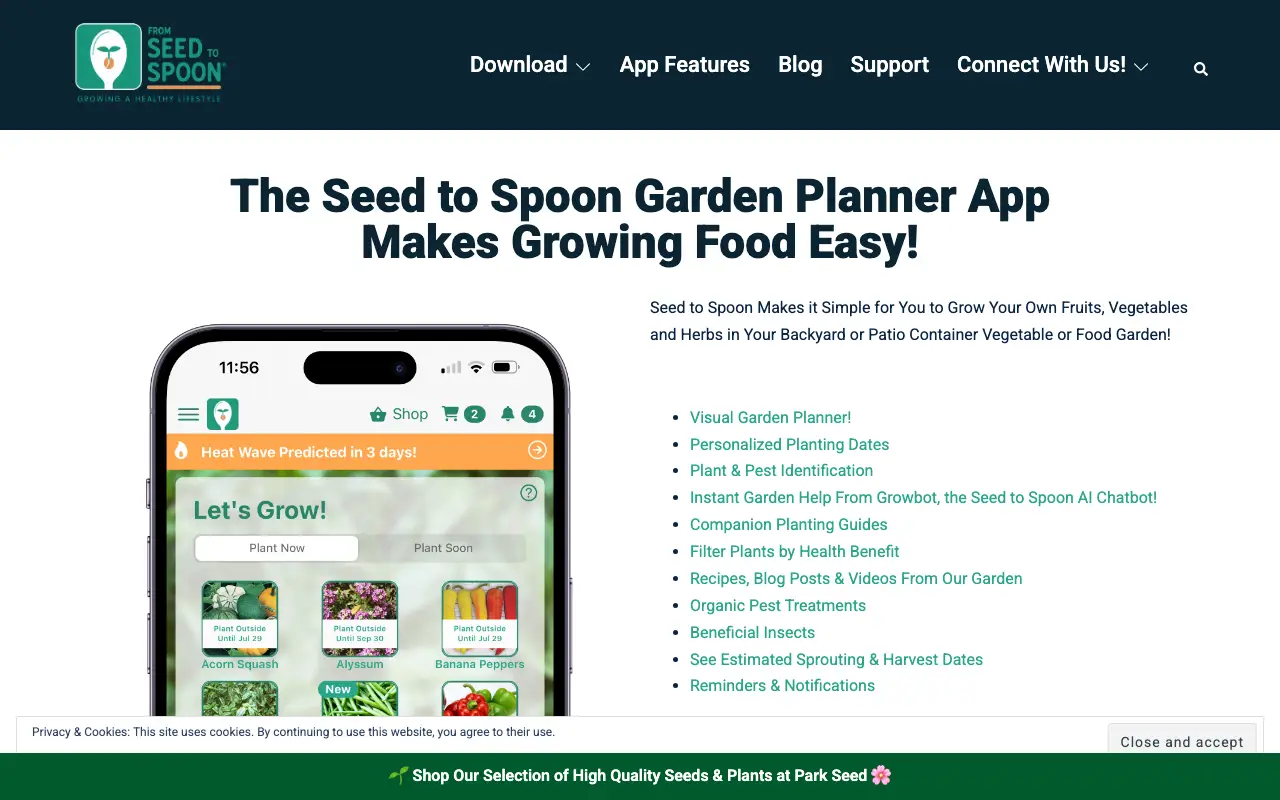
Seed to Spoon is a phone app for home food growers: a visual layout planner with companion warnings, a location-based planting calendar with frost and heat alerts, growing guides for 150+ plants and an AI helper that identifies plants and problems from photos.
Price: Premium $4.99/month, $24.99 per 6 months or $46.99/year
Pros
- 4.8 stars from about 9.3K ratings on the US App Store
- Location-based dates and weather alerts
- Photo plant ID and problem diagnosis
Cons
- Tight free tier (10 plant kinds)
- Yearly premium costs more than Planter
- No yard design
Sources: App Store
5. VegPlotter
Vegetable garden planner · Web, Android · Limited free tier: unlimited plans with a cap on plantings per year (its pages say 40 and 20)
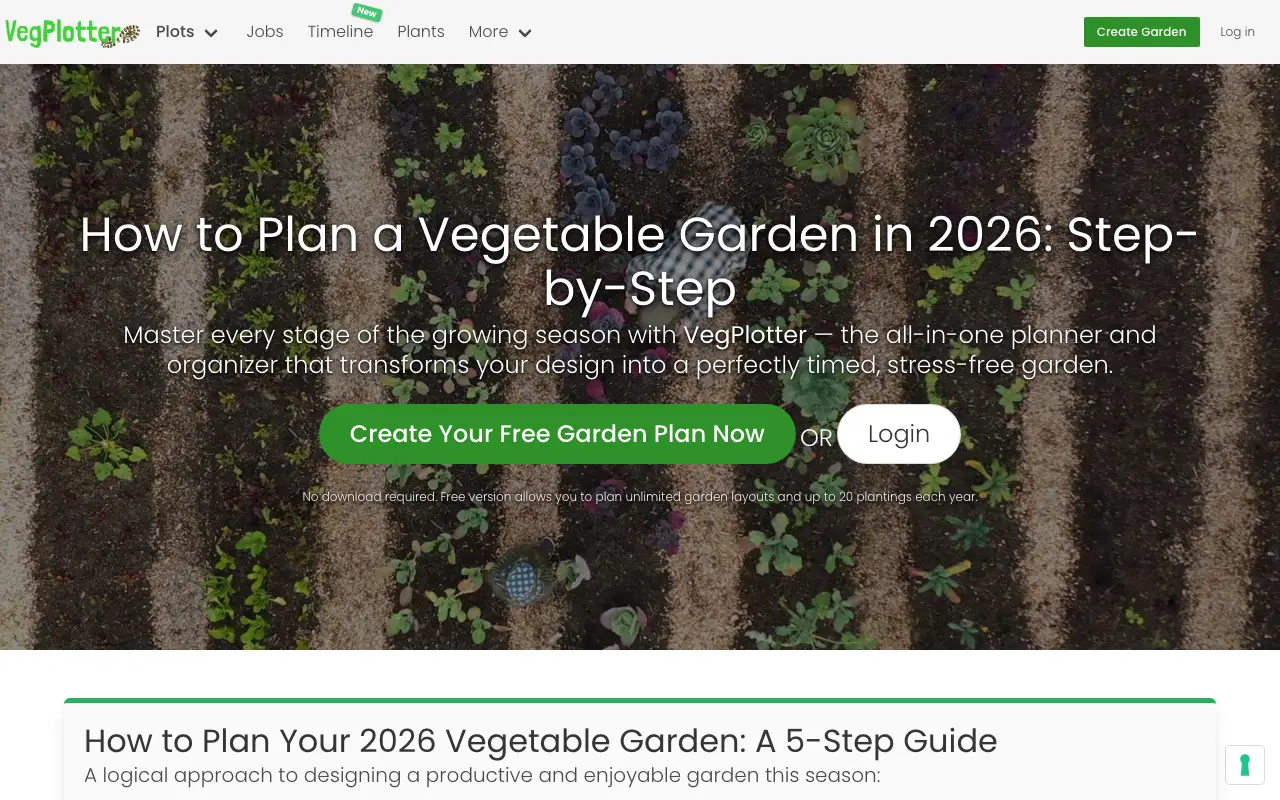
VegPlotter is a browser planner for beds, paths and structures drawn to scale, with a month-by-month sowing and harvest schedule that adjusts to your local climate and rotation warnings.
Price: Essentials and Advanced plans; prices were not shown on the pricing page when we checked
Pros
- Unlimited plans on the free tier
- Climate-based schedules and rotation warnings for free
- Works in any browser; printable
Cons
- Free tier caps plantings, and its pages disagree on the number
- Paid prices not clearly shown
- No picture of the finished garden
6. GARDENA myGarden
2D planner + sprinklers · Web · Permanently free: free online planner; download a planning sketch and shopping list
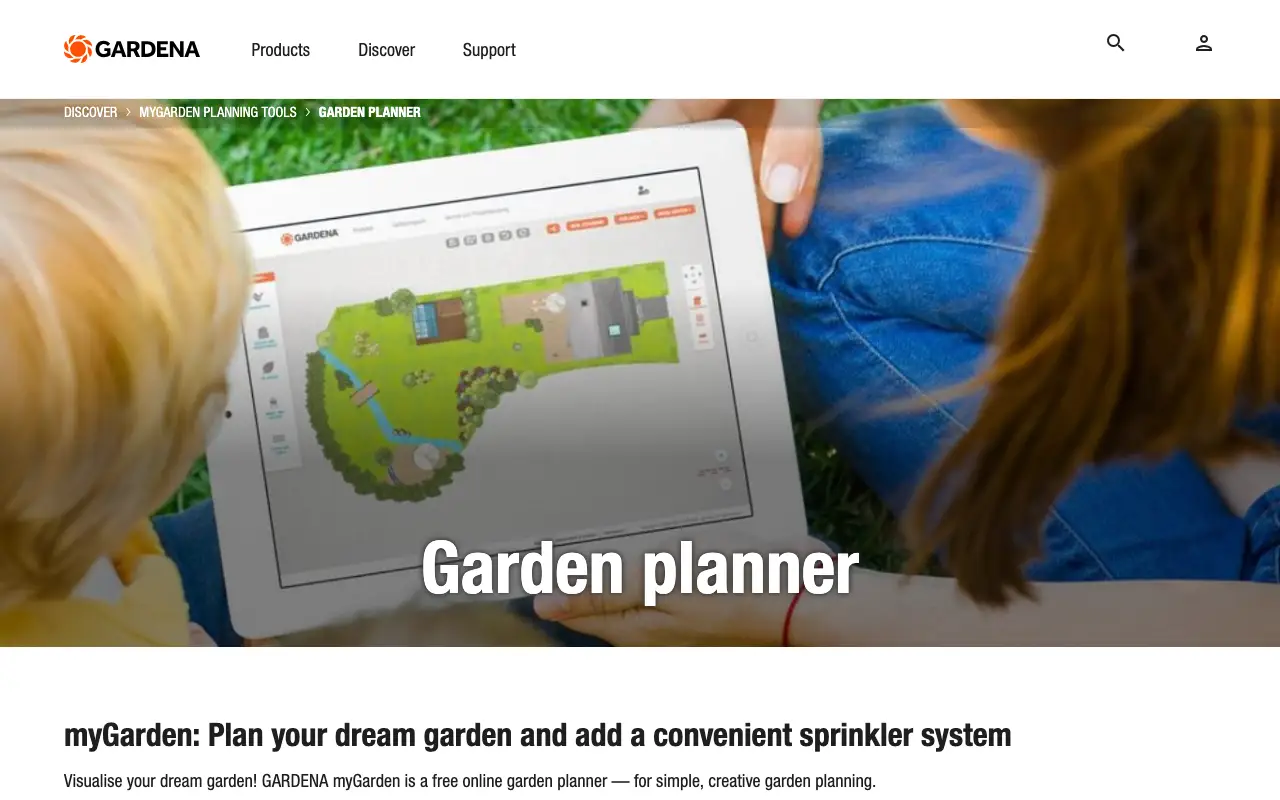
GARDENA myGarden is a free web planner from the irrigation brand. You draw the garden in a hand-drawn 2D style and it can plan an automatic sprinkler system, then give you a sketch and a shopping list of GARDENA products.
Price: Free
Pros
- Completely free
- Sprinkler planning, rare among free tools
- Starts from example gardens
Cons
- Shopping list is GARDENA products
- 2D sketch only; no realistic view
- No plant data or climate logic
Sources: Garden planner
7. Neighborbrite
AI photo redesign · Web, iOS, Android · Limited free tier: free plan with "limited design generations" (the number is not published)
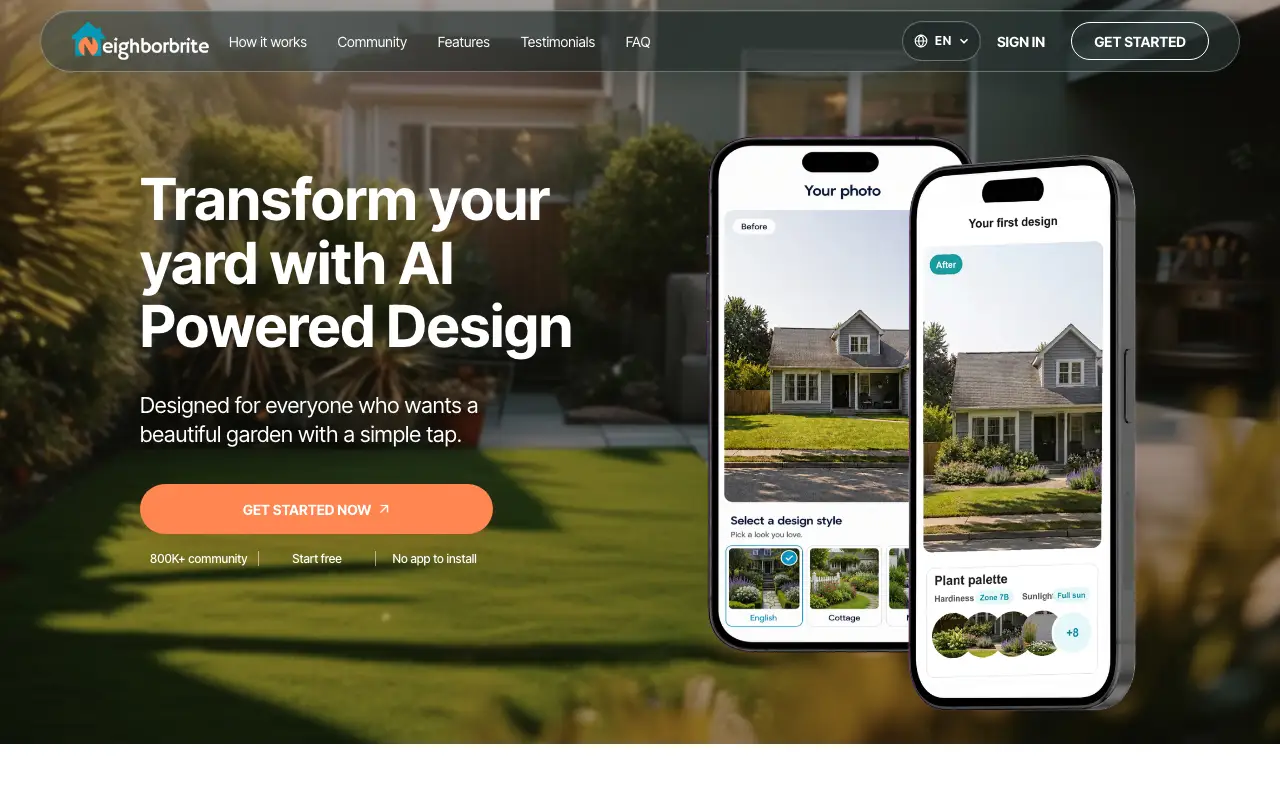
Neighborbrite turns a yard photo into AI designs in preset styles such as Cottage, Modern and Desert, then adds plant lists tailored to climate and sunlight from a library of 5,000+ plants. Pro tools include Magic Edit, adding and erasing elements and plant ID. Its human professional design service has been discontinued, according to its own page.
Price: Business $49/month, Landscaper $149/month (website); App Store lists PRO $24.99, Business $49.99, Landscaper Suite $149 without a billing period
Pros
- Free plan on web and mobile
- Plant lists matched to climate and sun; plant ordering in the app (rolling out in most US states)
- Region editing: Magic Edit, add and erase elements
- 4.8 stars from 416 ratings on the US App Store
Cons
- Free generation limit is not published
- Website and App Store prices differ, and store billing periods are not shown
- Commercial use needs the $49/month Business plan
- Professional design service is no longer offered
Sources: Homepage · Plans for landscapers · App Store
8. DreamzAR
AI redesign + AR · Web, iOS, Android · Paid only: free to download; its site and FAQ do not clearly describe a free allowance
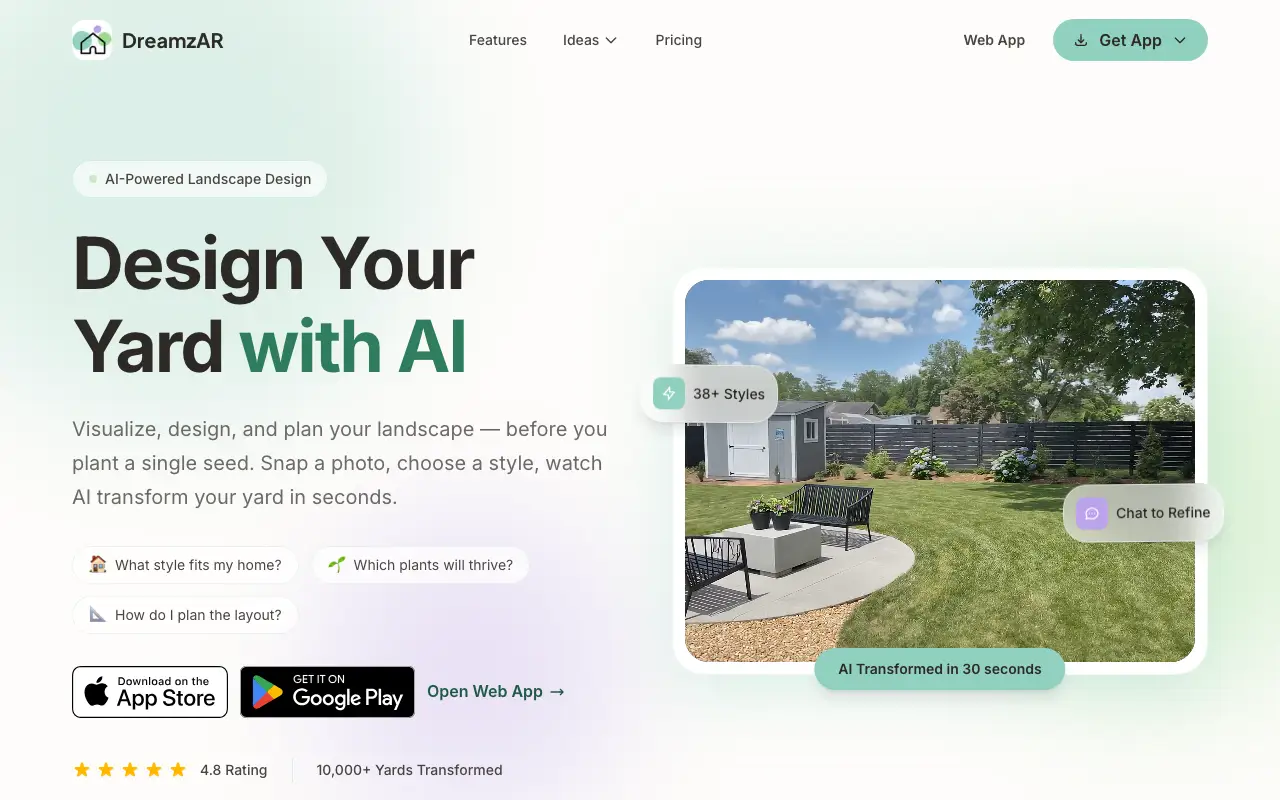
DreamzAR (by ImmEx Technologies, at dreamzar.app) combines AI redesigns of a yard photo with a 2D photo editor, a 2,000+ item plant and feature library and a 3D AR walkthrough at real scale. Designs can be refined by chat ("add more flowers near the fence"). Subscriptions bought on iOS, Android or the web only work on that platform, per its FAQ.
Price: $19.99/month or $199/year (about $16.60/month)
Pros
- AR and 3D placement of real plants
- 2,000+ plants and features to place by hand
- Chat-style refinement of a design
- Many styles (38+ on the website)
Cons
- 3.0 stars from 143 ratings on the US App Store
- Subscriptions do not carry across platforms
- No clearly documented free tier; $19.99/month to start
- Style count differs between the website (38+) and App Store (20+)
Sources: Homepage · FAQ and pricing · App Store
9. iScape
Photo overlay + AR · iOS, Android (AR on iOS only) · Limited free tier: "free to download & trial", limited plant and hardscape access
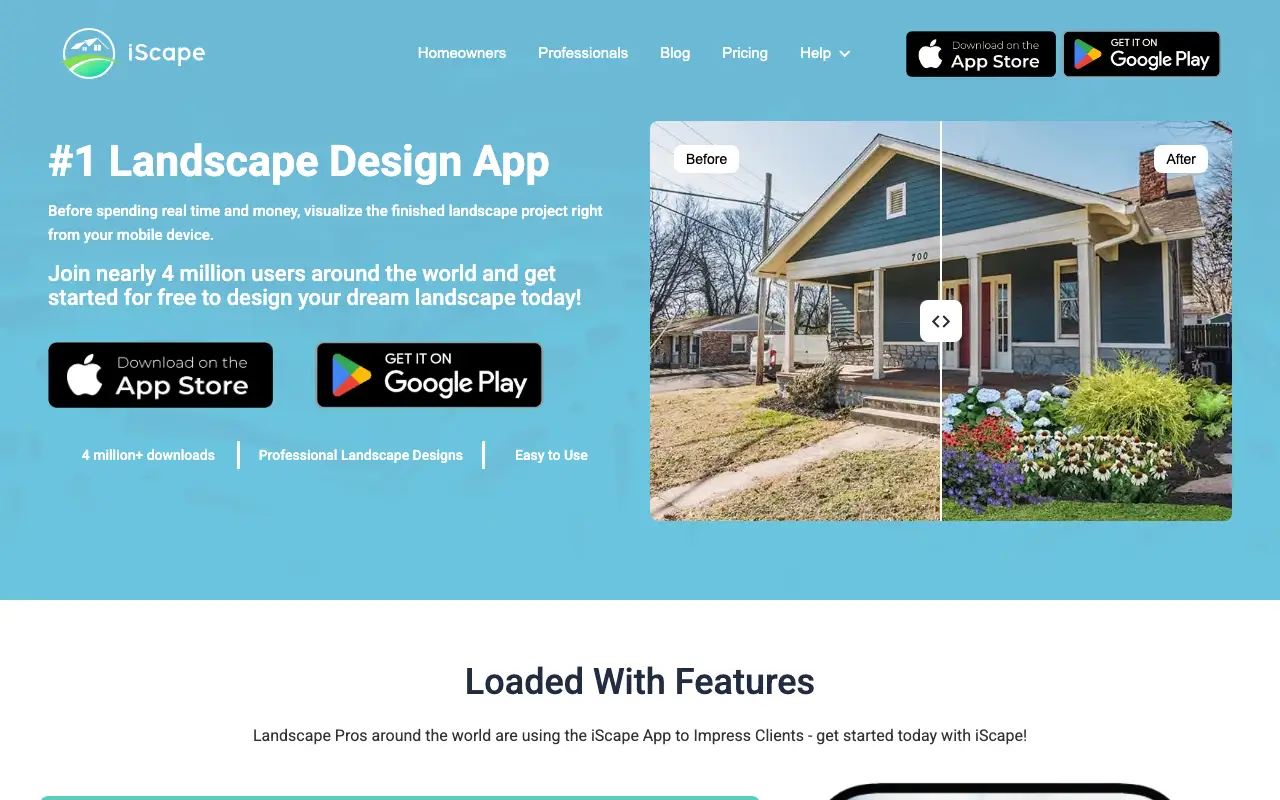
iScape lets you place plants, hardscape and products on a photo of your yard by hand, or in AR on iOS. Pro adds the full database, uploading your own images and PDF proposals with pricing for clients. It is a long-running app with a large user base.
Price: Pro $29.99/month or $299.99/year
Pros
- Design on a real photo; AR on iOS
- Large paid plant and hardscape library
- Proposal tool for professionals
- 4.6 stars from about 29K ratings on the US App Store
Cons
- Pro costs $29.99/month
- Every object placed by hand; no AI redesign
- Free tier is a limited demo
- No web version
Where AI Landscape Design falls short
We make one of these tools, so here is what it does not do:
- No plant library or planting calendar (the phone app suggests plants for your climate zone)
- No bed layout grid, companion planting or crop rotation
Which one should you choose?
| If you need | Pick |
|---|---|
| A picture of a new garden on your own photo | AI Landscape Design |
| A detailed vegetable plan with rotation and reminders | GrowVeg |
| A cheap phone planner for raised beds | Planter |
| Timing, weather alerts and plant problem help | Seed to Spoon |
| A free planner with climate-based schedules | VegPlotter |
| A picture of a new garden plus a plant list | Neighborbrite |
| AR placement of plants in the yard | DreamzAR or iScape |
Questions
What is the best free garden design app?
GARDENA myGarden is free with no limit. VegPlotter, Planter and Seed to Spoon have free tiers with caps; Neighborbrite and AI Landscape Design give limited free AI designs.
What is the best AI garden design app?
AI Landscape Design: garden styles such as Cottage, Wildflower Meadow, Kitchen Garden and Woodland Shade on your own photo, with a plant list in the phone app. Neighborbrite adds climate-based plant lists; DreamzAR adds AR.
Which garden app knows my climate?
GrowVeg uses local frost dates, VegPlotter adjusts to local climate and Seed to Spoon gives zone-specific dates. Neighborbrite tailors plant lists to climate and sunlight.
Can a garden app show how my garden will look?
Vegetable planners show a plan, not a picture. AI tools such as Neighborbrite, DreamzAR and AI Landscape Design show a redesign of your own photo.